Every lead answered.
Every client kept apart.
Anibros CRM pulls leads in from Meta, Google, your website forms and any tool that can send a webhook, hands each one to the right person, and shows you which sources really turn into customers. One workspace per client, separated at the database level.
14 days freeNo card neededCancel any time


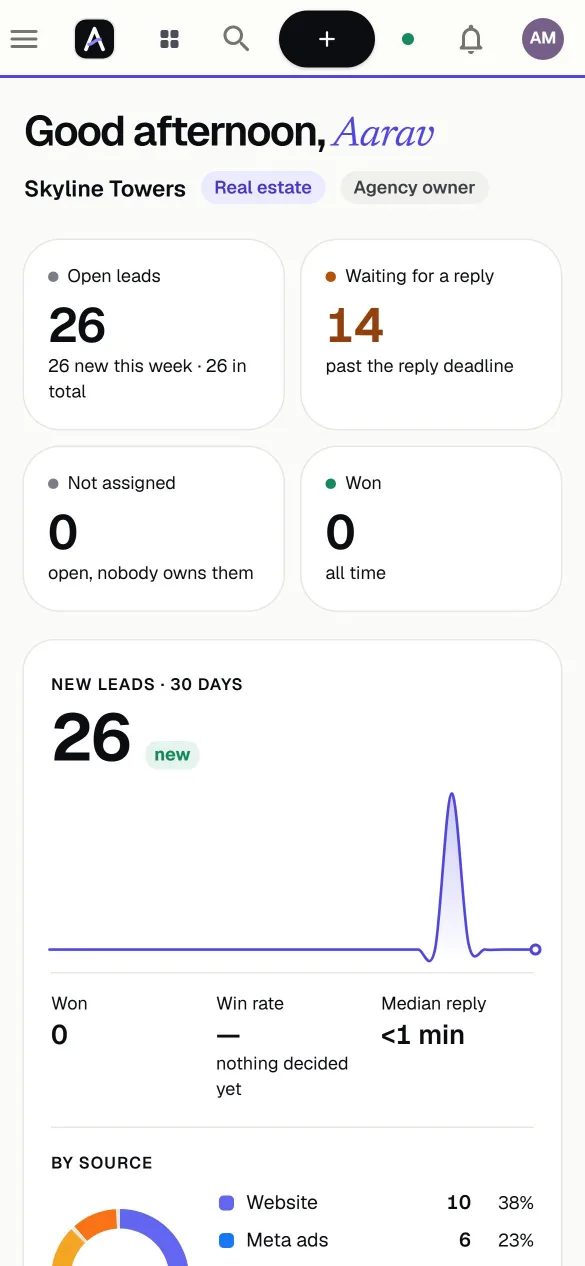
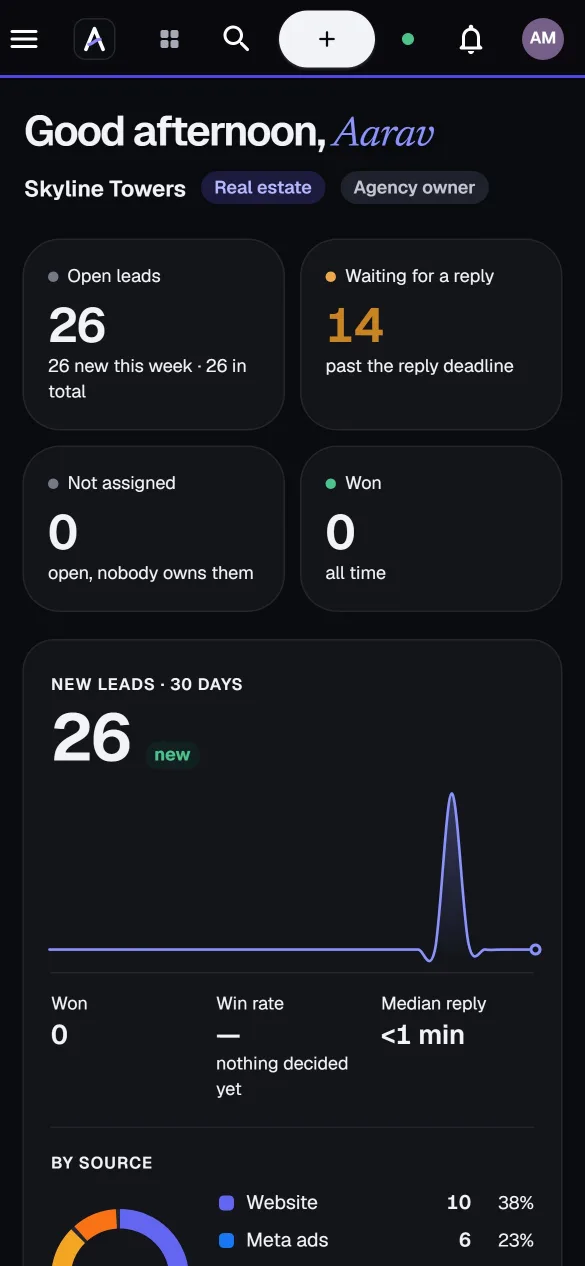
Leads come in from
Leads land everywhere.
Meta forms, Google ads, website enquiries, WhatsApp messages and spreadsheets. By the time someone collects them, the best ones have gone cold.
Speed decides who wins.
The first team to reply usually gets the visit. Every lead needs an owner, a deadline and a nudge before it slips away.
Clients must never meet.
If you run campaigns for several clients, mixing their leads is not an inconvenience. It is a breach of trust.
One inbox for every channel
Connect a source once and leads arrive on their own, with the campaign and source attached, ready to be assigned.
- Meta and Google lead ads with a signature or key check on every delivery
- Website forms captured with one line of script, including the page and campaign
- Spreadsheets and API. Import a CSV, or send leads from anywhere you can make a request
- No double entries. A repeat enquiry is linked to the person, not created twice
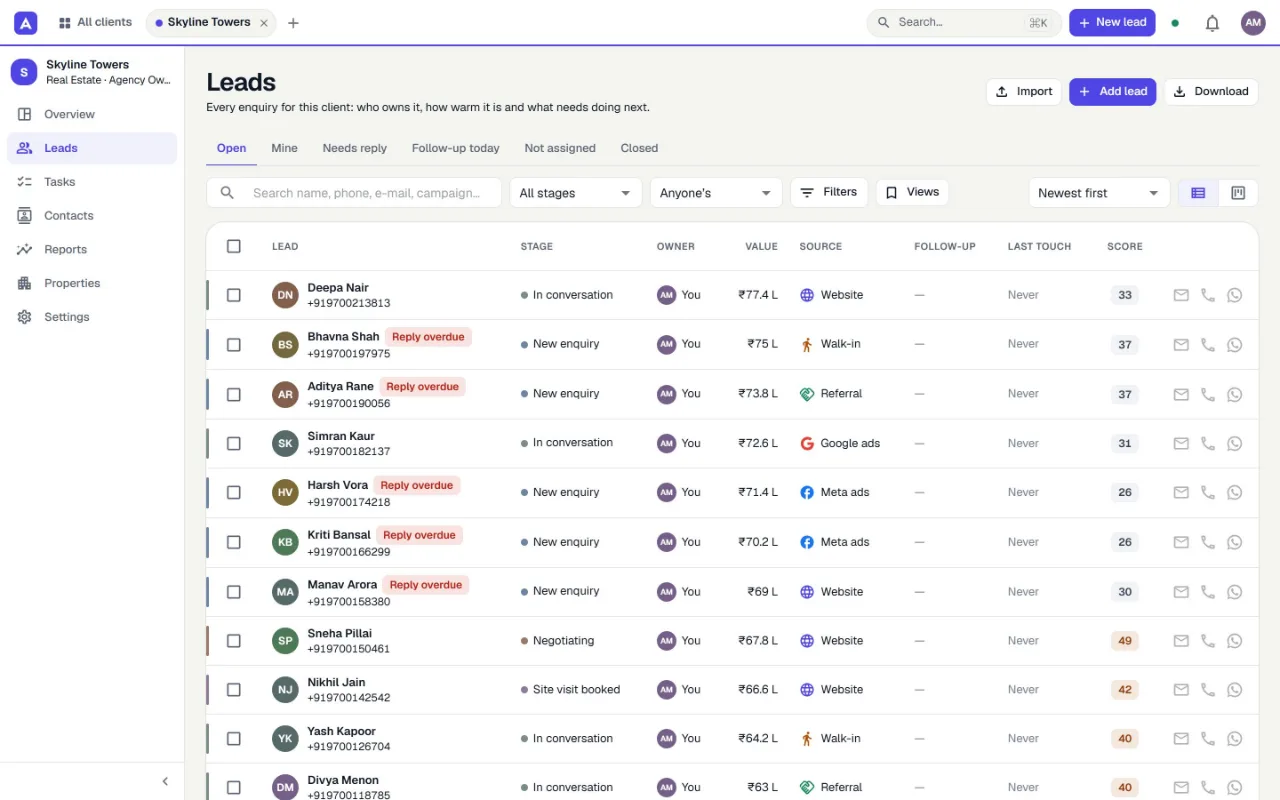
Fast replies, by design
Nothing depends on someone remembering to check. Every lead has an owner, a deadline and a clear next step.
- Rules decide who gets each lead, by source, by client or by turn
- A reply deadline on every lead, and one list of everything waiting for a reply
- Call, WhatsApp or e-mail from the lead, and log how it went in one click
- Follow-ups and tasks that remind the owner before a lead goes quiet
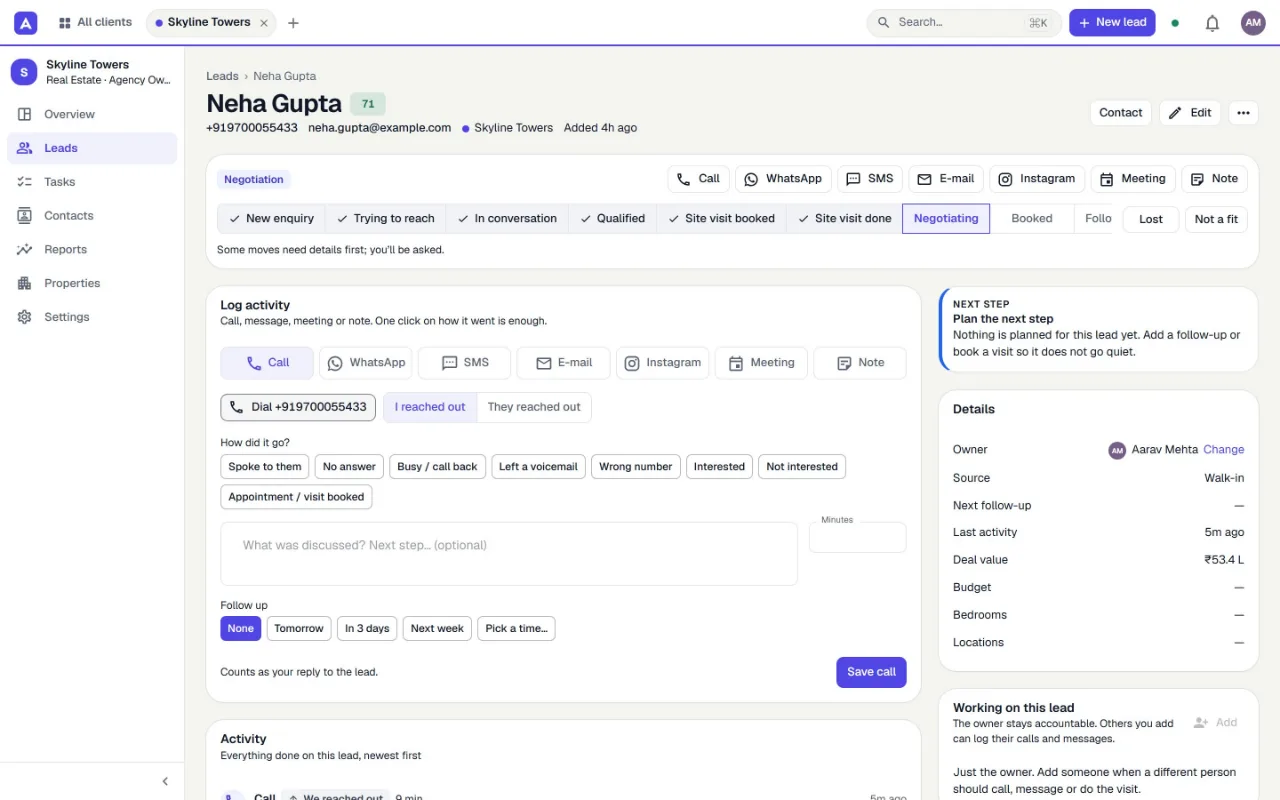
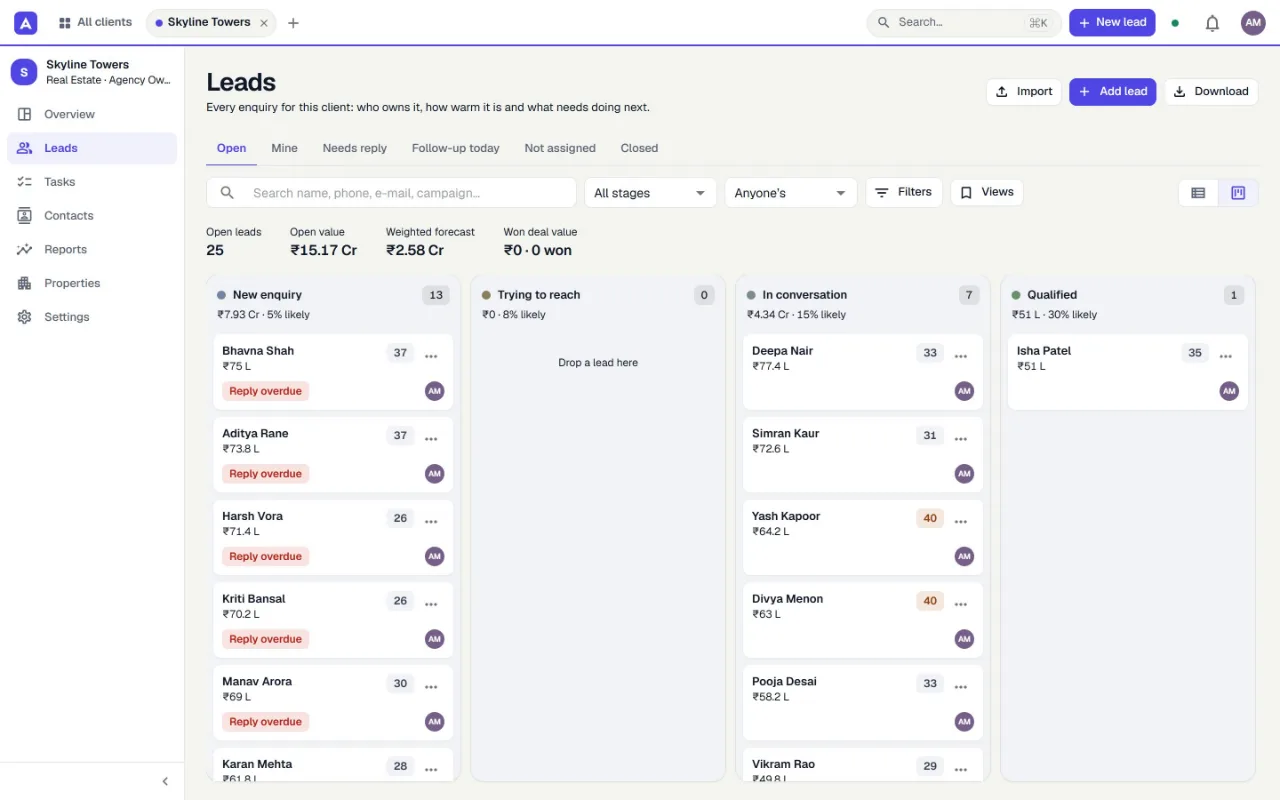
The whole pipeline, at a glance
Work from a list when you are on the phone, or drag leads across a board when you are planning the day.
- List and board over the same leads, with filters you can save and share
- Stage rules that ask for what matters: a reason when a lead is lost, a value when it is won
- Your own stages and fields, so the CRM follows your process instead of the other way round
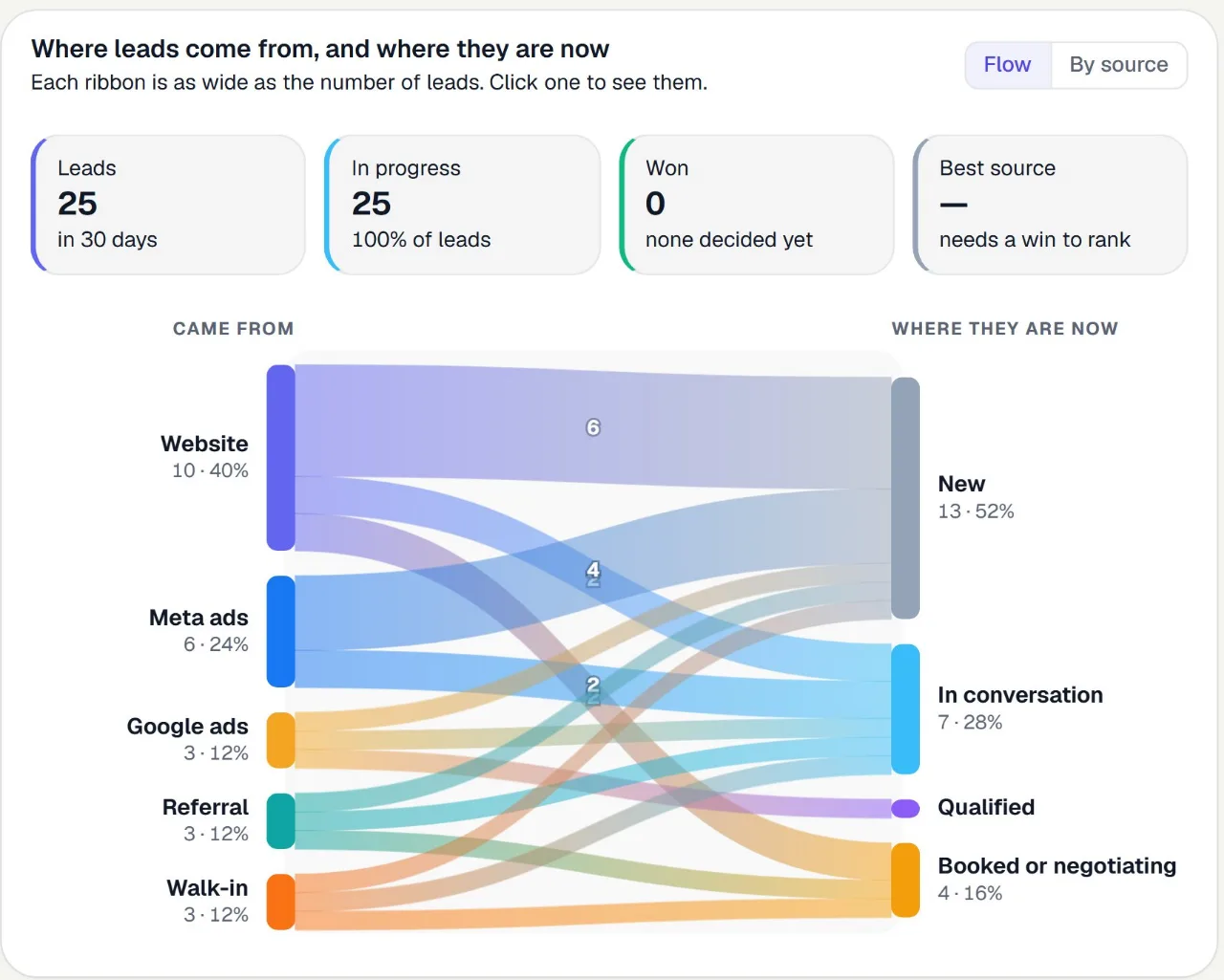
Know which sources become customers
One picture answers the question every marketing budget depends on: where do leads come from, and where do they end up?
- Source to stage in one look. Click any ribbon to open exactly those leads
- Reply time and busy hours, so you know when someone must be ready
- Cost per lead and per sale once you add what you spent. Nothing is estimated
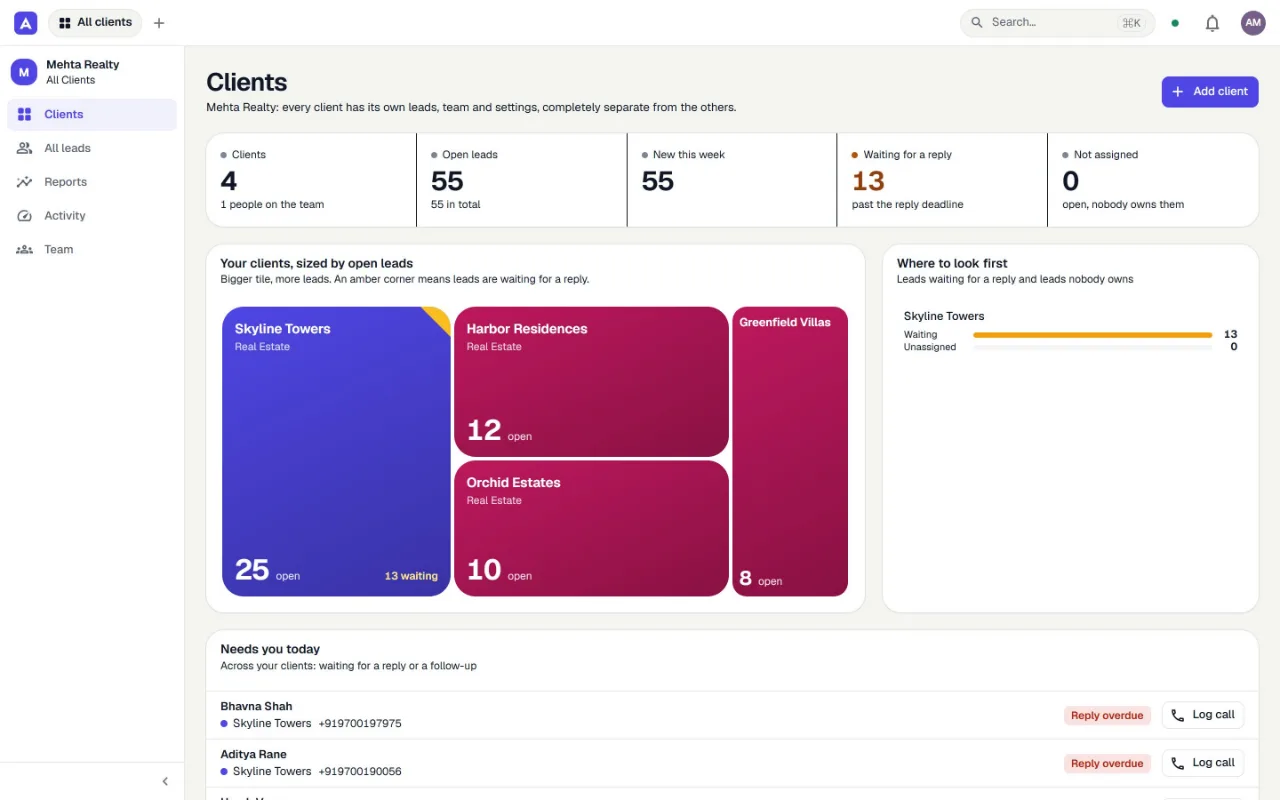
Built for agencies from day one
Every client gets a workspace of its own: its own leads, team, sources and settings. You see across all of them, they only ever see theirs.
- Separate workspace per client, kept apart by the database itself
- Staff see only the clients they are assigned to, with a role per client
- One screen shows which client needs you first and which leads are waiting
- Give a client their own login when they want to see their leads
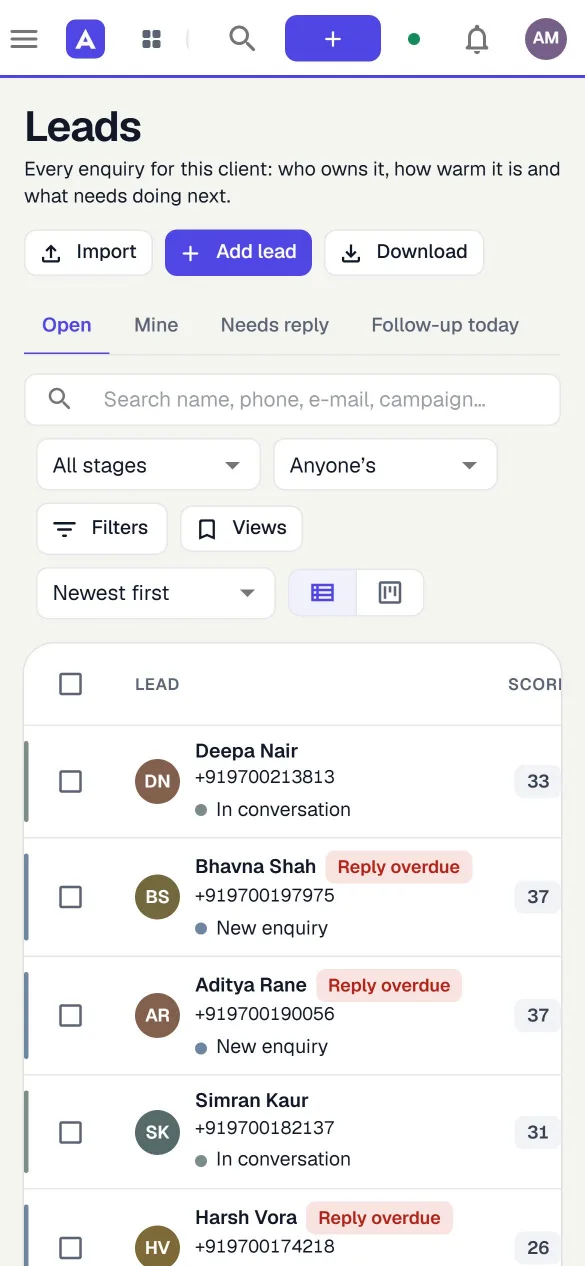
Call or message straight from the list
Sales happens on phones. The CRM works on one: tap a number to call, open WhatsApp with the person already chosen, and log the outcome without typing a paragraph.
The details that make a CRM get used
Fewer clicks, fewer excuses, nothing that needs a consultant to switch on.
Capture and route
- 01Smart routing
- New leads go to the right person automatically: by source, by client, or by turn. Specialists can be set up for calls only or WhatsApp only.
- 02Import and export
- Bring in a spreadsheet. Take everything out as Excel or CSV, any time.
- 03API and webhooks
- Send leads in, read data out, and get signed events when things change.
Respond
- 04Reply deadlines
- Every lead carries a first-reply deadline. Late ones surface on their own.
- 05WhatsApp and e-mail
- Open your own WhatsApp, Gmail or Outlook with the lead pre-filled, or send from the CRM and keep the history.
- 06Follow-ups and tasks
- Pick a time after any call. The owner gets reminded, and overdue work is one click away.
Organise
- 07Lead scoring
- A score on every lead, so the warm ones rise to the top of the list.
- 08Your own fields
- Add the questions your clients actually ask: budget, area, timeline, anything.
- 09Search and saved views
- Find anyone by name, phone or campaign. Save the views you use daily.
- 10Made for real estate, flexible beyond it
- Properties, projects, site visits, offers and bookings, and matching buyers to units. Switch the vocabulary for other industries.
Stay in control
- 11Roles and permissions
- Owners, admins, managers, callers and viewers, each with exactly the access they need.
- 12Audit trail
- Who changed what, and when, in every workspace. Entries cannot be edited in the CRM.
Your clients' data, kept apart where it counts
Separation is enforced in the database, not only in application code, so a mistake in one screen cannot expose another client.
- 01
Isolated per client
Each workspace sees only its own rows. The database refuses everything else.
- 02
Encrypted secrets
Integration tokens are encrypted at rest with AES-256-GCM and never shown again.
- 03
Two-factor sign-in
Authenticator-app codes and one-time recovery codes for everyone.
- 04
Audit trail
A record of changes per workspace that nobody can edit from inside the CRM. Export it any time.
An API that gets out of your way
Send leads from your own forms and tools, read your data into a dashboard, or react to events as they happen.
- API keys limited to exactly the scopes they need, shown once, revocable any time
- Signed webhooks for new leads, assignments, stage changes and more, with automatic retries
- Predictable by design: cursor pagination, idempotency keys and clear, machine-readable errors
curl https://crm.anibrosdesign.com/api/v1/leads \
  -H "Authorization: Bearer crm_live_xxxxxxxx" \
  -H "Content-Type: application/json" \
  -d '{
    "contact": { "firstName": "Priya", "phone": "+919800000000" },
    "source": "website",
    "campaign": "diwali-offer"
  }'
const res = await fetch('https://crm.anibrosdesign.com/api/v1/leads', {
method: 'POST',
headers: {
Authorization: 'Bearer ' + process.env.CRM_KEY,
'Content-Type': 'application/json',
},
body: JSON.stringify({
contact: { firstName: 'Priya', phone: '+919800000000' },
source: 'website',
campaign: 'diwali-offer',
}),
});
const { data: lead } = await res.json();$ch = curl_init('https://crm.anibrosdesign.com/api/v1/leads');
curl_setopt_array($ch, [
CURLOPT_POST => true,
CURLOPT_RETURNTRANSFER => true,
CURLOPT_HTTPHEADER => ['Authorization: Bearer ' . getenv('CRM_KEY'), 'Content-Type: application/json'],
CURLOPT_POSTFIELDS => json_encode([
'contact' => ['firstName' => 'Priya', 'phone' => '+919800000000'],
'source' => 'website',
'campaign' => 'diwali-offer',
]),
]);
$lead = json_decode(curl_exec($ch), true)['data'];import os, requests
r = requests.post(
'https://crm.anibrosdesign.com/api/v1/leads',
headers={'Authorization': 'Bearer ' + os.environ['CRM_KEY']},
json={
'contact': {'firstName': 'Priya', 'phone': '+919800000000'},
'source': 'website',
'campaign': 'diwali-offer',
},
)
lead = r.json()['data']Simple plans. Start free.
Every account starts with a 14-day trial. Pay monthly or yearly, in rupees.
Starter
For a small agency getting organised
- 3 client workspaces
- 5 team members
- 2,000 leads
- 10 API keys
- Lead intake and exports
Growth
For agencies running several clients
- 15 client workspaces
- 25 team members
- 25,000 leads
- 20 API keys
- Webhooks and signed delivery
Scale
For large agencies and multi-team setups
- 100 client workspaces
- 200 team members
- 250,000 leads
- 50 API keys
- Webhooks and signed delivery
What people ask before they start
Do I need a credit card to start?
What happens if I stop paying, or my trial ends?
Can I run more than one client?
Which lead sources can I connect?
Can one client ever see another client's data?
How do I pay?
Can I get my data out?
Do you send WhatsApp messages for me?
Give every lead the reply it deserves.
Set up your first client in minutes. 14 days free, no card needed, and nothing is deleted if you decide it is not for you.
Start free trial